Audio Sync Lab
An audio delay that's separate from the subtitles and remembered for each file. Add an external track such as a dub. C V
 RVLC
RVLC
v0.1.0 · Free for macOS
A media player for the Mac that fixes subtitles. Early, late, drifting, out of sync with the audio: RVLC sets them right in seconds, then hands you a corrected file.
One extra step the first time you open it. RVLC isn't notarised by Apple yet, so macOS blocks it until you click Open Anyway. Show me how →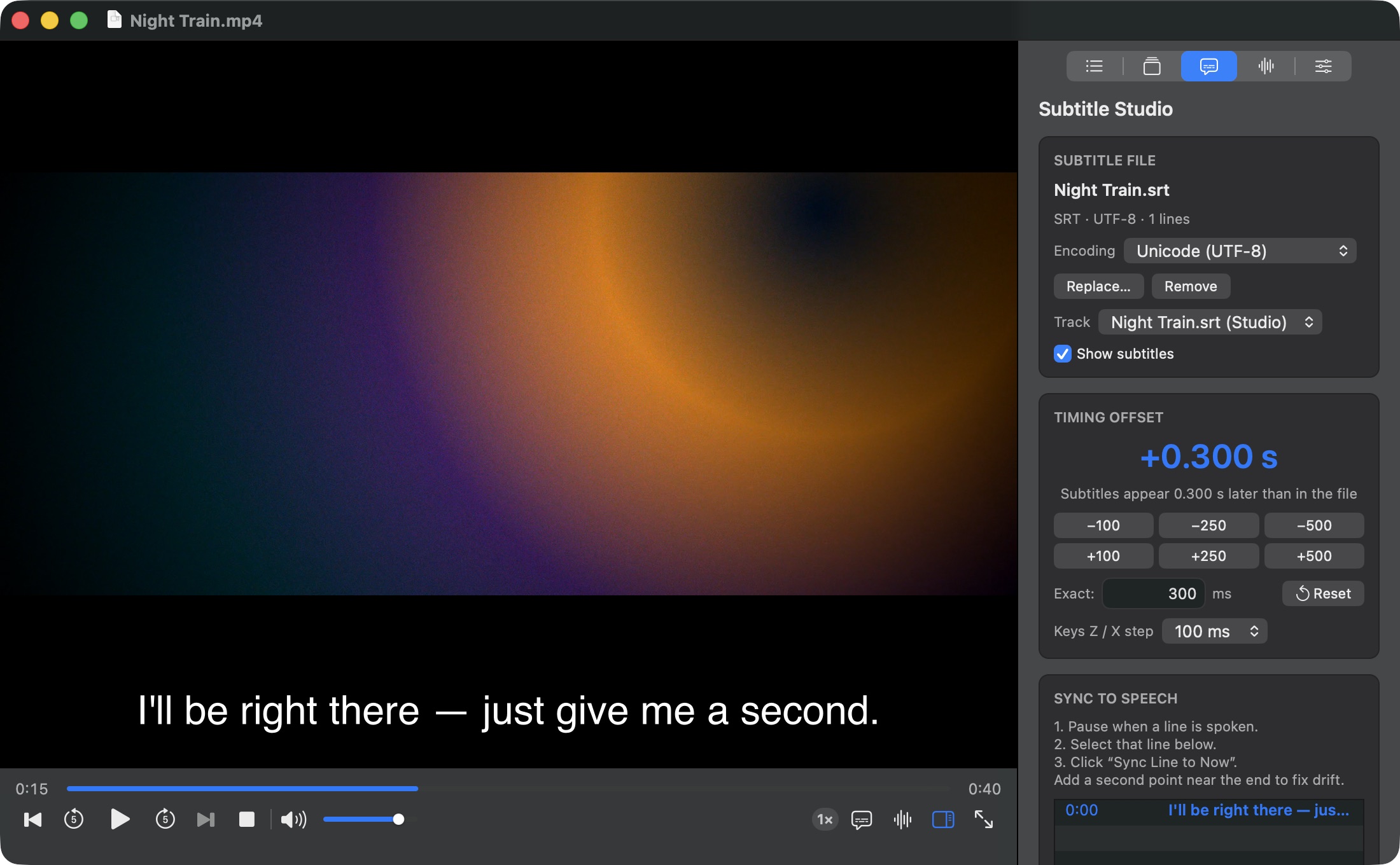
Ch. 01 Smart Subtitle Sync
These subtitles arrive 1.2 seconds late. Drag, click, press Z / X, or let RVLC listen to the audio and line them up for you.
Subtitles 1.20 s late
Shift by ±100, 250 or 500 ms, or type the exact millisecond. You see the change on screen while it plays. Z X ⇧Z
Pause on a spoken line and sync it to now. Add a second point late in the film and RVLC also fixes drift, like 23.976 ↔ 25 fps, with a fit-quality readout. Y
RVLC compares speech in the soundtrack with subtitle timing and suggests an offset and drift, with a confidence level. Preview it, apply it, or discard it.
Save a corrected SRT, WebVTT or ASS file, with ASS styling kept. Your original subtitle file is never touched.
Ch. 02 The player
libmpv and FFmpeg under the hood, so it plays what mpv plays. A native Swift and AppKit interface on top, so it feels like it belongs on your Mac.
An audio delay that's separate from the subtitles and remembered for each file. Add an external track such as a dub. C V
Speed up, slow down, or step frame by frame.
SRT, WebVTT and ASS in UTF-8/16, Windows code pages, Shift JIS, GB18030, Big5, KOI8-R and more, detected automatically.
Edit text and timing, search and replace with regex, nudge single lines, undo and redo, all previewed live. ⌘E
Pick up where you left off. Favourites, search, sort and file info, and a play queue that remembers its order and repeat mode.
Brightness, contrast, gamma, rotation and aspect. EQ presets, loudness normalisation, and up to 200% volume with a limiter.
Every shortcut can be changed, and none of them fire while you're typing.
Hardware decoding, light and dark themes, VoiceOver labels and instant full screen. No Electron in sight.
Ch. 03 Privacy
0bytes leave your Mac.
Your media, your subtitles and the audio analysis all stay on your Mac.
Ch. 04 Install
RVLC is free and open source, but it isn't notarised by Apple yet. macOS will block the first launch until you allow it once. Step 3 is the one people miss.
Use any Download button on this page. The file comes straight from the latest GitHub release.
Open the DMG and drop RVLC onto the Applications folder.
Open RVLC. macOS says it “could not verify” the app. Click Done, not Move to Trash.
Then open System Settings › Privacy & Security, scroll to Security, click Open Anyway and confirm with your password or Touch ID. RVLC opens normally from then on.
$ xattr -dr com.apple.quarantine /Applications/RVLC.app
Needs a Mac with Apple silicon running macOS 26 or later. Free software under the GPL. You can also build it from source.
Notes Latest release
October 2026
Full changelog →The first release: a native macOS player on libmpv with Subtitle Studio, sync to speech with drift correction, automatic sync from audio, a subtitle editor, Audio Sync Lab, a library and playlist, and Picture & Sound controls.
First launch? Remember Open Anyway →